How Business Pre.Fill cuts onboarding fields and lifts conversion rates
Why do most business applications never get completed?
More than half of business applicants abandon onboarding forms before finishing them. The average fintech business application takes 14 screens, 16 required fields, and 29 clicks to complete on mobile. Every field is a chance for the applicant to enter the wrong data or dropout of the application entirely.
Manual application entry creates application friction and risk to conversion. These challenges are shared by customers and back-office teams alike. As demonstrated in the consumer world, pre-fill experiences solve for both these issues.
Baselayer Business Pre.Fill brings this solution to business owners and applications. With just two inputs from the applicant, Pre.Fill automatically matches the individual to their business, pulls verified entity data from Secretary of State records, and fills in the remaining fields in seconds.
The result: up to 45% higher form completion rates, 40% fewer fields on the application, and cleaner data from the start.
Why do business onboarding forms have such high drop-off rates?
Businesses don’t complete applications, people do. Owners and employees applying on behalf of their business often need to answer at least 6-7 questions just to open the door, questions like:
1. What is our legal name?
2. Where were we incorporated?
3. What’s our legal address?
4. What’s our EIN?
5. What year did we start?
6. What’s the right NAICS code for us?
7. We are incorporated in Delaware but I’m applying in Texas, which address should I use?
Most people don’t have this information memorized. They leave the form to go look it up, and they don’t come back.
For business applications specifically, the friction is even worse because the data is more obscure. Nobody memorizes their EIN. Very few people can recall the exact legal name their LLC was registered under three years ago. And when they guess wrong, the mismatch creates a false positive in your KYB checks.
This is the core problem Business Pre.Fill solves: stop asking applicants for information they don’t know, and pull it from verified sources instead.
How does Business Pre.Fill work?
Business Pre.Fill connects applicants to the right business entity with just two inputs: the applicant’s personal information and a business name search.
From there, Pre.Fill handles the rest:
Match the individual to the business. Pre.Fill searches Baselayer’s database of Secretary of State records and other authoritative sources to find the business entity and confirm the applicant’s connection to it.
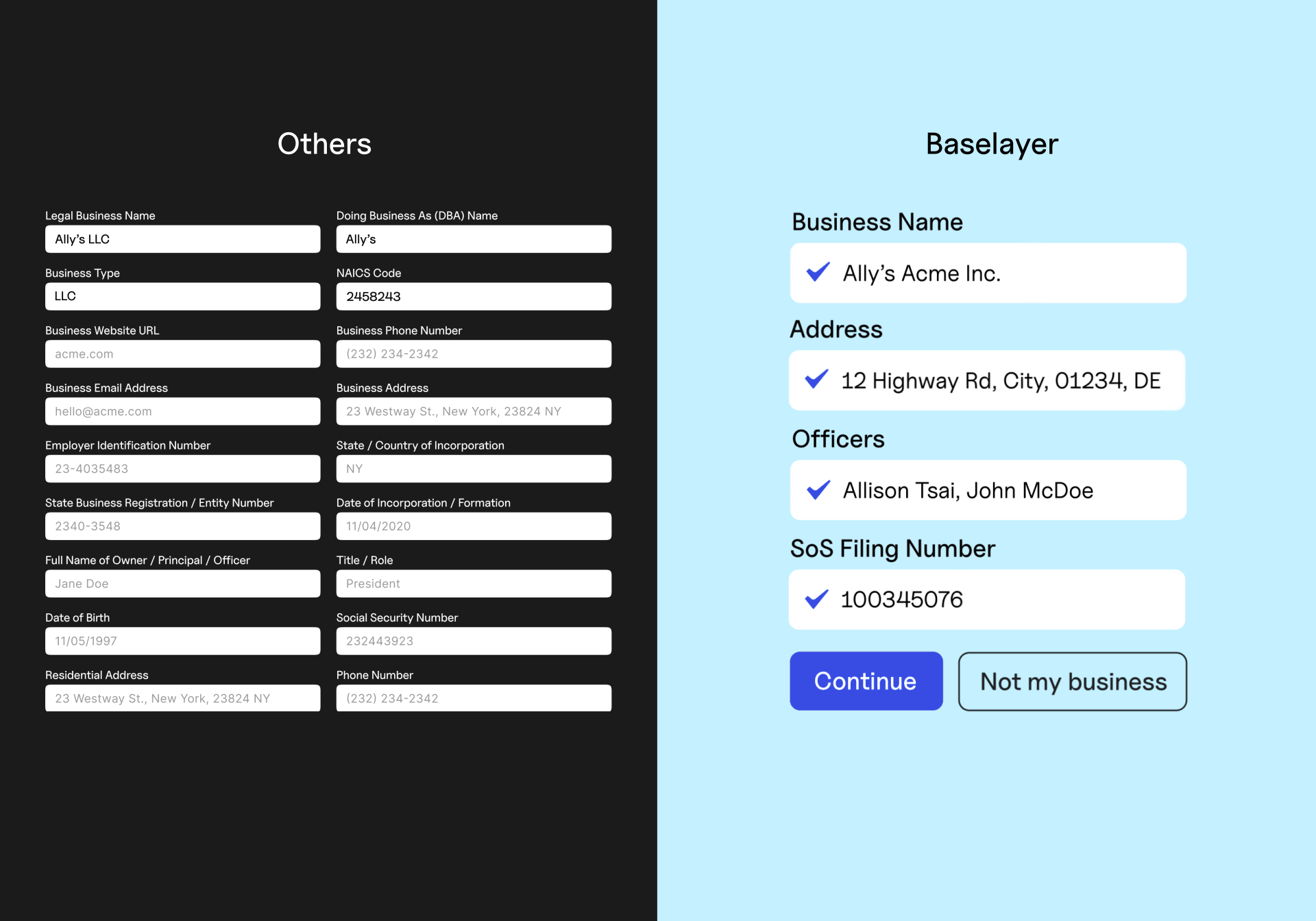
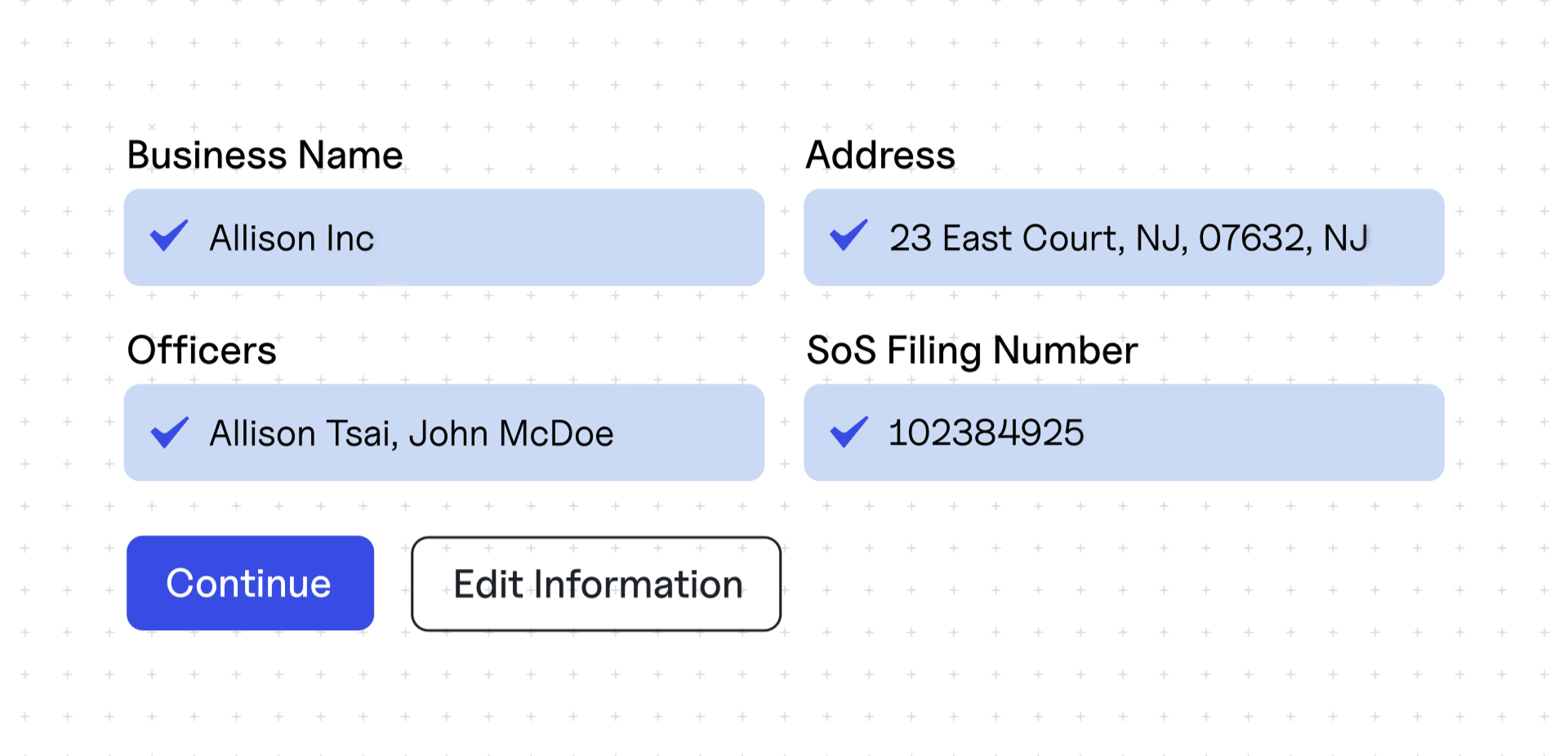
Auto-populate verified entity data. Once the match is confirmed, Pre.Fill fills in the remaining form fields – legal business name, EIN, formation date, registered address, business type, officer information – using verified data rather than manual input.
Surface risk signals early. Because the application is now anchored to real entity records from the first form input, mismatches and anomalies surface immediately rather than downstream in your KYB process.
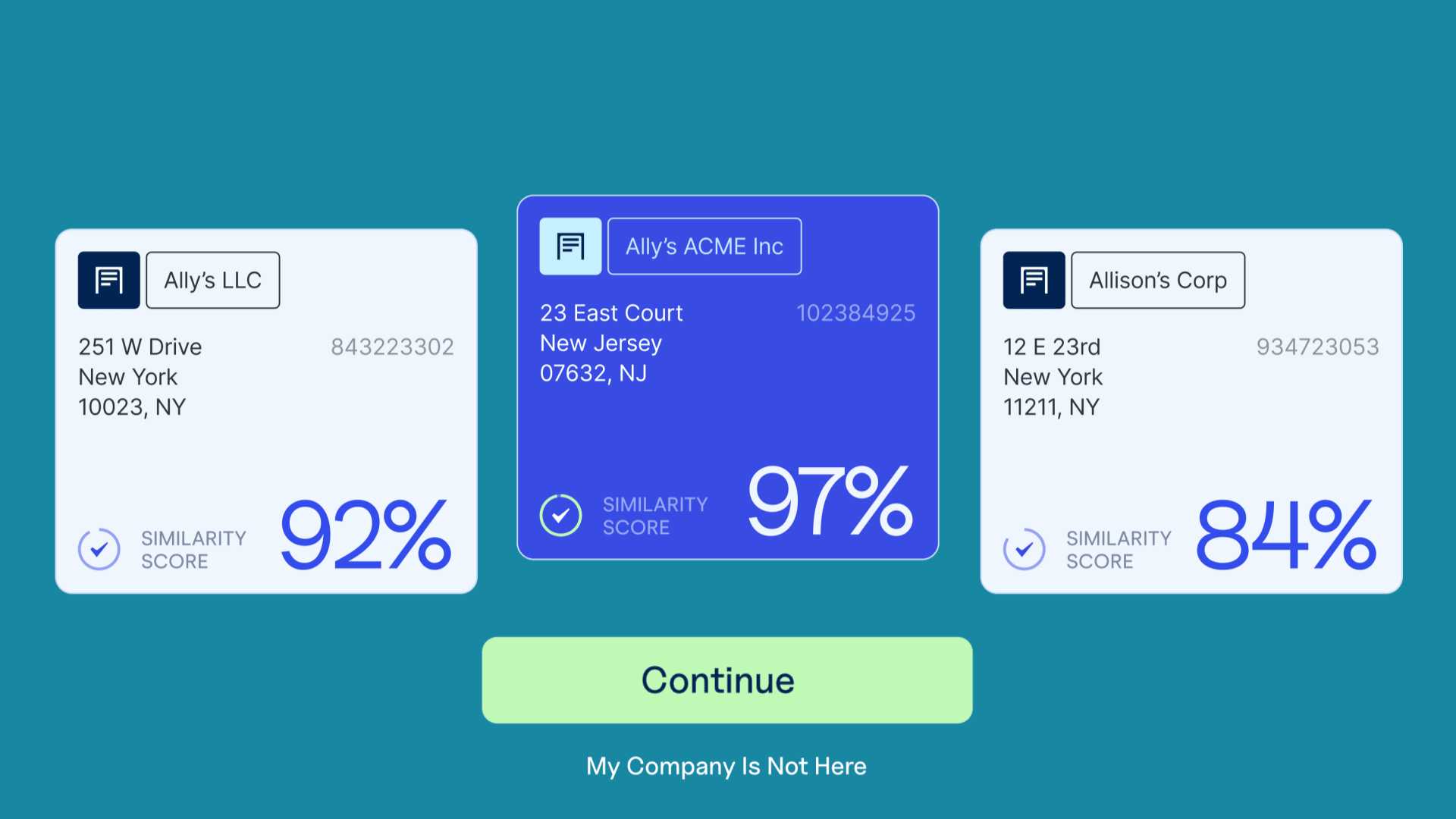
The entire process takes seconds. The applicant enters minimal information, confirms their business from a list, and moves on with a pre-populated form.
What does Pre.Fill actually improve?
Application conversion
Fewer fields means less friction. Baselayer customers using Pre.Fill have seen up to 45% higher form completion rates and up to 40% fewer fields required on their application forms. When applicants don’t have to dig up obscure business details, they finish the form.
Data quality
Manually entered business data is unreliable. Applicants misspell their own company names, transpose digits in EINs, and use outdated addresses. Pre.Fill eliminates this by sourcing data directly from government records. Clean data from the start means fewer downstream exceptions and less manual review.
KYB accuracy
When an application starts with verified entity data, your Business Verification checks are working with accurate inputs. That means stronger matches, fewer false positives, and less noise in your fraud queue. Your compliance team spends time on real risk, not correcting data entry errors.
Fraud detection
Pre.Fill doesn’t just reduce friction – it’s also a fraud signal. By revealing the true registered details of a business at the point of application, Pre.Fill makes it harder for applicants to misrepresent who they are or what their business does. If someone claims to own a business but Pre.Fill can’t match them to it, that’s a signal worth investigating.
Who is Business Pre.Fill built for?
Pre.Fill is designed for any company that onboards businesses through a digital application.
The teams that benefit most:
Product managers who own onboarding conversion funnels. Pre.Fill directly reduces drop-off at the application stage without requiring a full UX redesign. It plugs into existing forms.
Risk and fraud teams who are spending too much time on false positives caused by bad input data. When applications start with verified entity data, the downstream signal-to-noise ratio improves significantly.
Credit and underwriting teams who need reliable business data for early-stage decisioning. Pre.Fill provides richer, more accurate data at the top of the funnel, before full verification kicks in.
Compliance teams who need to demonstrate that business identity data comes from verified, auditable sources. Pre.Fill’s data originates from Secretary of State records and other authoritative databases.
The industries using it today: fintechs, SMB lenders, payment processors, and marketplaces.
How is Pre.Fill different from basic address autofill?
Basic address autofill (like Google Places or USPS autocomplete) helps applicants enter their mailing address faster. That’s useful, but it only solves one field.
Business Pre.Fill is fundamentally different. It auto-populates the entire business identity – legal name, EIN, formation details, officer information, registered address, business type – from verified government records. It’s not filling in what the applicant types. It’s replacing manual entry with verified data.
It’s also different from standalone identity verification products that run checks after the form is submitted. Pre.Fill works at the point of form entry, before submission, which means it improves both the applicant’s experience and the quality of data flowing into your KYB Rating and risk assessment processes.
How does Pre.Fill fit into the broader Baselayer platform?
Pre.Fill sits at the top of the onboarding funnel. It’s the first touchpoint, feeding clean, verified data into everything downstream.
With that verified foundation in place, KYB and Business Search return accurate results every time minimizing unnecessary manual reviews.
From there, layer in the Identity Network, Risk Rating, and whatever other signals you need to make a confident approval or rejection decision. And once the business is onboarded, Portfolio Monitoring keeps watching for changes long after day one.
Pre.Fill makes the data going into your KYB workflow more accurate, which makes every subsequent check more reliable.
—
For more product updates, follow us on LinkedIn.